
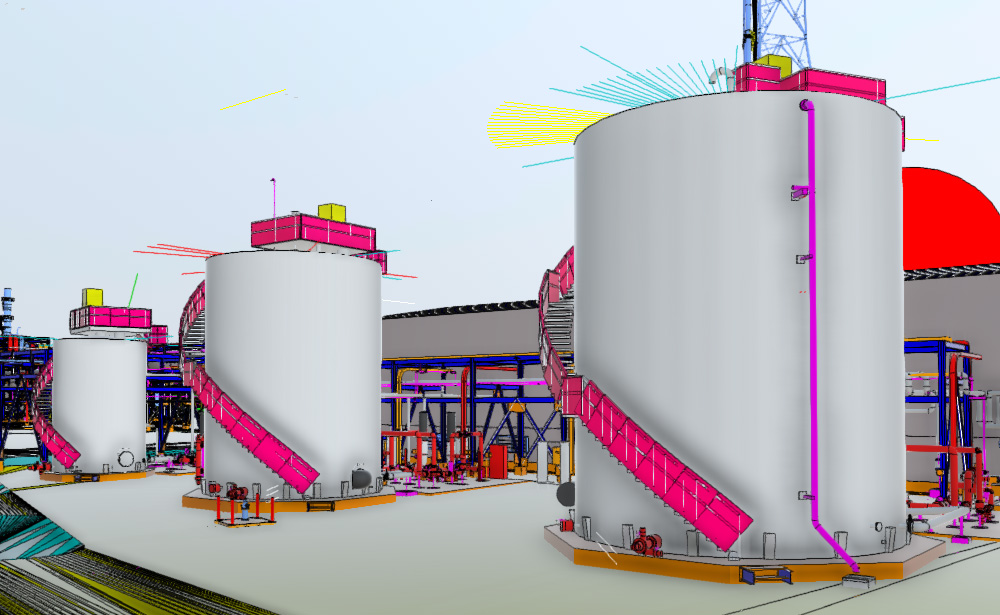
The transformation of point cloud data into a structured Building Information Model (BIM) in Autodesk Revit has become a core workflow in architecture, engineering, and construction (AEC). As laser scanning and LiDAR technologies become more accessible, professionals increasingly rely on point cloud-to-Revit conversion to create accurate digital twins of existing structures.
A critical part of this process is understanding Level of Development (LOD), which defines how detailed and reliable a BIM element is. The LOD scale from 100 to 500 helps teams align expectations, accuracy, and deliverables across project stages.
What Is Point Cloud to Revit?
A point cloud is a dense collection of 3D points captured using laser scanning or photogrammetry. Each point represents a coordinate in space, collectively forming a highly accurate digital snapshot of a physical environment.
When imported into Revit, this raw data serves as a reference for modeling building elements such as walls, slabs, columns, MEP systems, and architectural details. However, Revit does not automatically convert point clouds into BIM objects; it requires manual or semi-automated modeling.
The goal is to translate this unstructured data into an intelligent BIM model with defined geometry and metadata.
Understanding LOD in BIM (100–500)
LOD defines the progression of model maturity:
- LOD 100 – Conceptual
- LOD 200 – Approximate Geometry
- LOD 300 – Precise Geometry
- LOD 400 – Fabrication Level
- LOD 500 – As-Built / Verified Reality
Each level plays a distinct role in how point cloud data is interpreted and modeled in Revit.
LOD 100: Conceptual Modeling from Point Cloud
At LOD 100, the model represents a generalized massing based on point cloud scans.
Characteristics:
- Basic building form (mass models)
- Approximate dimensions
- No detailed geometry
- Used for early feasibility studies
Point Cloud Usage:
At this stage, point clouds are primarily used to understand overall building shape, height, and spatial context. Accuracy is secondary to conceptual representation.
LOD 200: Schematic Representation
LOD 200 introduces more recognizable building elements derived from scan data.
Characteristics:
- Generic walls, floors, and roofs
- Approximate placement and size
- Basic spatial relationships
Point Cloud Usage:
Modelers trace point cloud sections to create rough but structured elements in Revit. Elements are still not exact but align more closely with reality.
LOD 300: Accurate As-Built Geometry
This is one of the most important stages in scan-to-BIM workflows.
Characteristics:
- Precise geometry and dimensions
- Fully coordinated architectural and structural elements
- Suitable for construction documentation
Point Cloud Usage:
The point cloud becomes the primary reference. Walls, columns, beams, and openings are modeled to closely match scanned geometry. This is where accuracy becomes critical.
LOD 300 is often required for renovation, retrofit, and facility management projects.
LOD 400: Fabrication and Construction Detail
At LOD 400, the model transitions into fabrication-level detail.
Characteristics:
- Includes construction details (connections, joints, assemblies)
- Coordination with MEP and structural systems
- Ready for fabrication and installation planning
Point Cloud Usage:
Point clouds are used for verification rather than modeling. Engineers ensure that fabricated components align perfectly with existing conditions captured in the scan.
This stage is highly relevant in complex industrial or infrastructure projects.
LOD 500: Verified As-Built Model
LOD 500 represents the final, field-verified BIM model.
Characteristics:
- Accurate representation of constructed conditions
- Includes real-world validation (survey-verified)
- Used for facility management and operations
Point Cloud Usage:
The point cloud is used as a validation layer. Final Revit models are checked against scan data to ensure they reflect actual conditions after construction or renovation.
LOD 500 models are essential for long-term asset management and digital twin applications.
Key Workflow for Point Cloud to Revit Conversion
A typical workflow includes:
- Data Acquisition
- Laser scanning or LiDAR capture
- Export in formats like E57, RCP, or LAS
- Point Cloud Processing
- Cleaning noise and aligning scans
- Registration and segmentation
- Import into Revit
- Linking point cloud as reference
- Setting coordinate systems
- Modeling by LOD Requirement
- Choosing LOD 100–500 based on project scope
- Creating Revit families and elements
- Quality Control
- Clash detection
- Deviation analysis between model and scan
Challenges in Scan-to-BIM
Despite advancements, several challenges remain:
- Large file sizes affecting performance
- Manual modeling effort required in Revit
- Difficulty in interpreting complex geometries
- Accuracy dependency on scan quality
Proper planning and experienced BIM modelers are essential to overcome these issues.
Conclusion
Point cloud to Revit conversion bridges the gap between the physical and digital built environment. By understanding LOD 100 to 500, AEC professionals can better define project scope, improve coordination, and deliver highly accurate BIM models.
As tools like Autodesk Revit continue to evolve, scan-to-BIM workflows will become faster, more automated, and increasingly central to modern construction and facility management.