
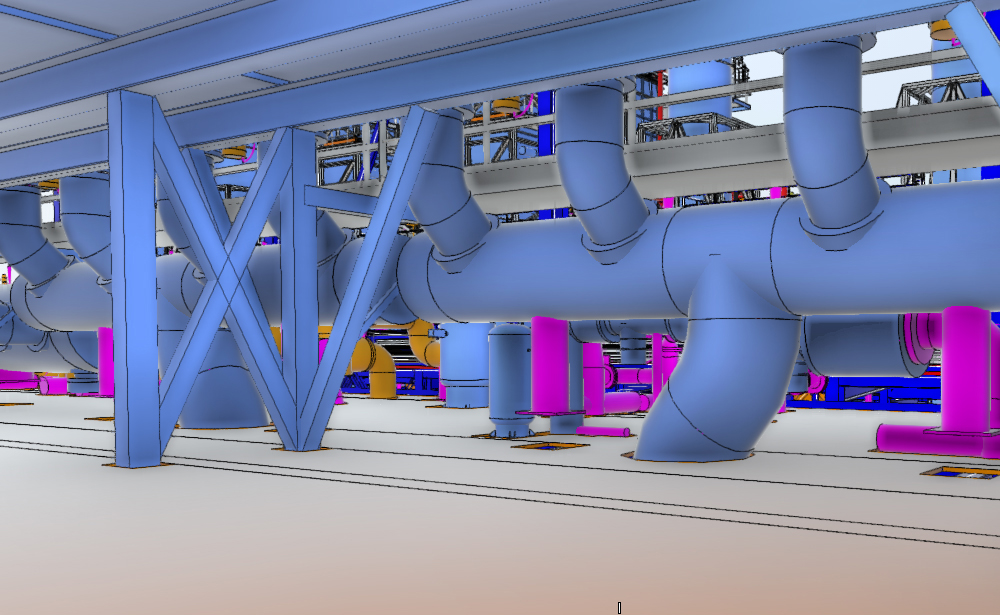
Building Information Modeling (BIM) has fundamentally changed how architectural, engineering, and construction (AEC) projects are designed and delivered. Among its most critical applications are BIM Coordination and Clash Detection, which directly reduce construction errors, cost overruns, and rework on site.
This article breaks down what BIM coordination and clash detection are, how they work, and why they are essential in today’s complex building projects.
What is BIM Coordination?
BIM Coordination is the process of integrating and managing multiple discipline models—architectural, structural, and MEP (mechanical, electrical, plumbing)—into a single coordinated digital environment.
Each discipline typically develops its own model using tools such as:
- Autodesk Revit for architectural and engineering modeling
- Autodesk Construction Cloud for collaboration and model sharing
The goal of BIM coordination is to ensure that all models align spatially, functionally, and technically before construction begins.
In simple terms: it is the “alignment phase” where all building systems are made to work together virtually.
What is Clash Detection?
Clash Detection is the process of identifying conflicts between different building systems within a BIM model.
These conflicts can include:
- Structural beams intersecting with HVAC ducts
- Electrical conduits passing through plumbing lines
- Equipment not fitting within allocated space
- Maintenance access conflicts (clearance issues)
Clashes are typically categorized into:
1. Hard Clashes
Physical intersections between elements (e.g., pipe running through a beam).
2. Soft Clashes
Violations of spatial or clearance requirements (e.g., insufficient service access space).
3. Workflow / 4D Clashes
Scheduling-related conflicts where construction sequences interfere with each other.
How Clash Detection Works in BIM Workflow
A typical BIM coordination workflow includes the following stages:
1. Model Creation
Each discipline develops its own detailed BIM model in authoring software like Autodesk Revit.
2. Model Aggregation
Models are combined into a federated model using coordination tools such as:
- Autodesk Navisworks
- Solibri
3. Clash Detection Analysis
The software automatically scans for geometric and rule-based conflicts.
4. Issue Reporting
Detected clashes are documented and categorized for resolution.
5. Coordination Meetings
BIM coordinators and discipline leads review clashes and agree on design adjustments.
6. Model Update
Each discipline revises its model and the cycle repeats until the model is clash-free (or within acceptable tolerance).
Key Benefits of BIM Coordination & Clash Detection
1. Reduced Construction Rework
Detecting issues before construction significantly reduces expensive on-site corrections.
2. Cost Efficiency
Fewer change orders and better material planning reduce overall project cost.
3. Improved Project Timeline
Early conflict resolution prevents delays during construction.
4. Enhanced Collaboration
All stakeholders work from a single source of truth, improving communication across disciplines.
5. Higher Design Accuracy
Integrated models lead to more reliable and buildable designs.
Common Challenges in BIM Coordination
Despite its benefits, BIM coordination can face challenges such as:
- Inconsistent modeling standards across teams
- Large and complex model files causing performance issues
- Poorly defined Level of Development (LOD) requirements
- Lack of coordination responsibility ownership
- Late-stage design changes
These issues can be mitigated with strong BIM execution planning and clear coordination protocols.
Best Practices for Effective Clash Detection
To maximize the value of BIM coordination, consider the following best practices:
Maintain Clear BIM Standards
Establish modeling guidelines, naming conventions, and LOD requirements early in the project.
Coordinate Regularly
Run clash detection cycles at defined milestones—not just at the end of design.
Prioritize Clashes
Not all clashes are equal. Focus on critical system conflicts first (structure, MEP main routes).
Use a Centralized Platform
Cloud-based systems like Autodesk Construction Cloud help ensure all stakeholders work on updated models.
Assign Responsibility
Clearly define who is responsible for resolving each type of clash.
Document Everything
Maintain a structured issue tracking system for accountability and transparency.
The Future of BIM Coordination
BIM coordination is evolving beyond simple clash detection. Emerging trends include:
- AI-assisted clash resolution suggestions
- Real-time cloud coordination environments
- Integration with 4D (time) and 5D (cost) modeling
- Automated rule-based compliance checking
- Digital twins for facility lifecycle management
Platforms like Autodesk Navisworks and Solibri are continuously expanding their capabilities to support these advancements.
Conclusion
BIM coordination and clash detection are no longer optional—they are essential components of modern construction project delivery. By identifying design conflicts early and ensuring all disciplines are properly aligned, teams can significantly improve efficiency, reduce risk, and deliver higher-quality buildings.